 NewMusic

 TRACK
Sound
iOS 761: Screen Time Controls - Downtime, Communication Safety, & more
user9506012474186
39:44 duration0 plays0 favoritesMedium quality
Play now
About this track
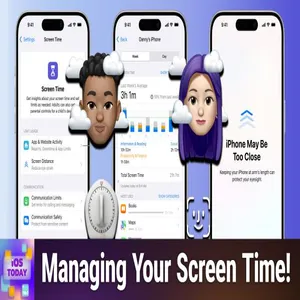
This episode explores the comprehensive Screen Time system in iOS, covering everything from basic usage tracking to advanced restrictions and parental controls. The hosts also tackle a unique automation challenge involving motorcycles and garage doors, while sharing their latest app and gadget discoveries. Screen Time Overview - Introduction to iOS's built-in digital wellness system that tracks usage across all Apple devices and syncs settings when enabled Screen Distance Feature - New safety feature that alerts users when holding their iPhone or iPad too close to their face, helping prevent eye strain and myopia App and Website Activity - Detailed tracking system that provides weekly reports and insights about screen usage patterns across all connected devices Downtime Scheduling - Feature that restricts device access to only approved apps and phone calls during specified hours, perfect for sleep schedules App Limits - Granular controls allowing users to set daily time limits for specific apps or entire categories like games or social media Always Allowed Apps - Designated apps that remain accessible even during downtime, including emergency contacts and essential utilities Communication Controls - Settings that manage who can contact the user during screen time restrictions and downtime periods Communication Safety - Apple's new feature that automatically detects and warns about potentially inappropriate images before they're viewed Content and Privacy Restrictions - Comprehensive parental controls covering app installations, purchases, web content, and various iOS features Feedback Motorcycle Garage Door Automation - Mike seeks help creating a shortcut to automatically open his garage door when arriving home on his motorcycle App Caps DailyArt App - Mikah recommends an award-winning app that showcases a different piece of artwork each day with detailed historical context and artist information 8BitDo Micro Controller - Rosemary features a tiny Bluetooth game controller that works wi
From the album
 iOS Today (Audio)79 tracks · Track 49
Join Rosemary Orchard and Mikah Sargent for iOS Today, TWiT.tv's podcast for all things iPhone, iPad...
→You may also like


